
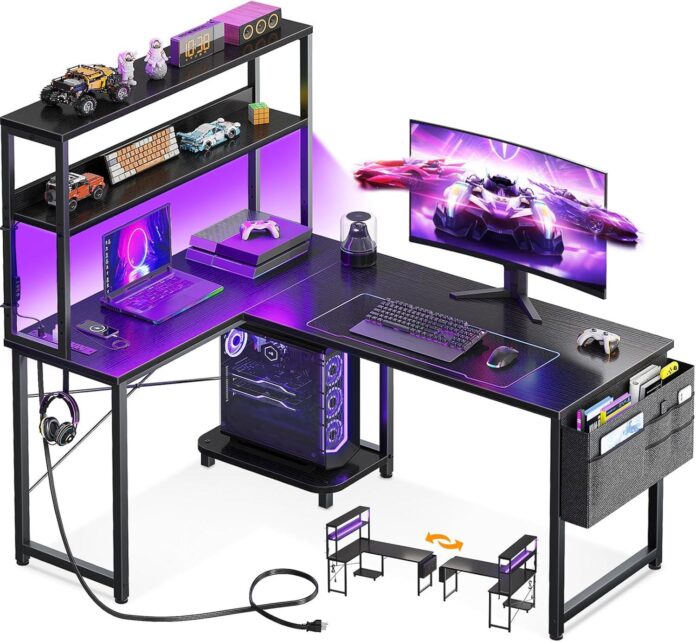
You step into the room and your eye catches a low, dark plane that reads bigger than its numbers — broad enough for a monitor and a mug, yet compact against the sofa. This is the AODK L-shaped gaming desk, the 43‑inch reversible model with LED lights and built‑in outlets, and the laminate top feels smooth with just enough tooth under your palm. The L extension gives the piece a modest visual weight; thin metal legs and a slim upper shelf add an industrial note while the LED strip throws a soft halo that shifts the room’s temperature. It already looks lived-in, quietly carrying a tangle of cords, a headphone hook, and a few well-used notebooks.
A first look at the AODK L shaped desk and how it sits in your corner
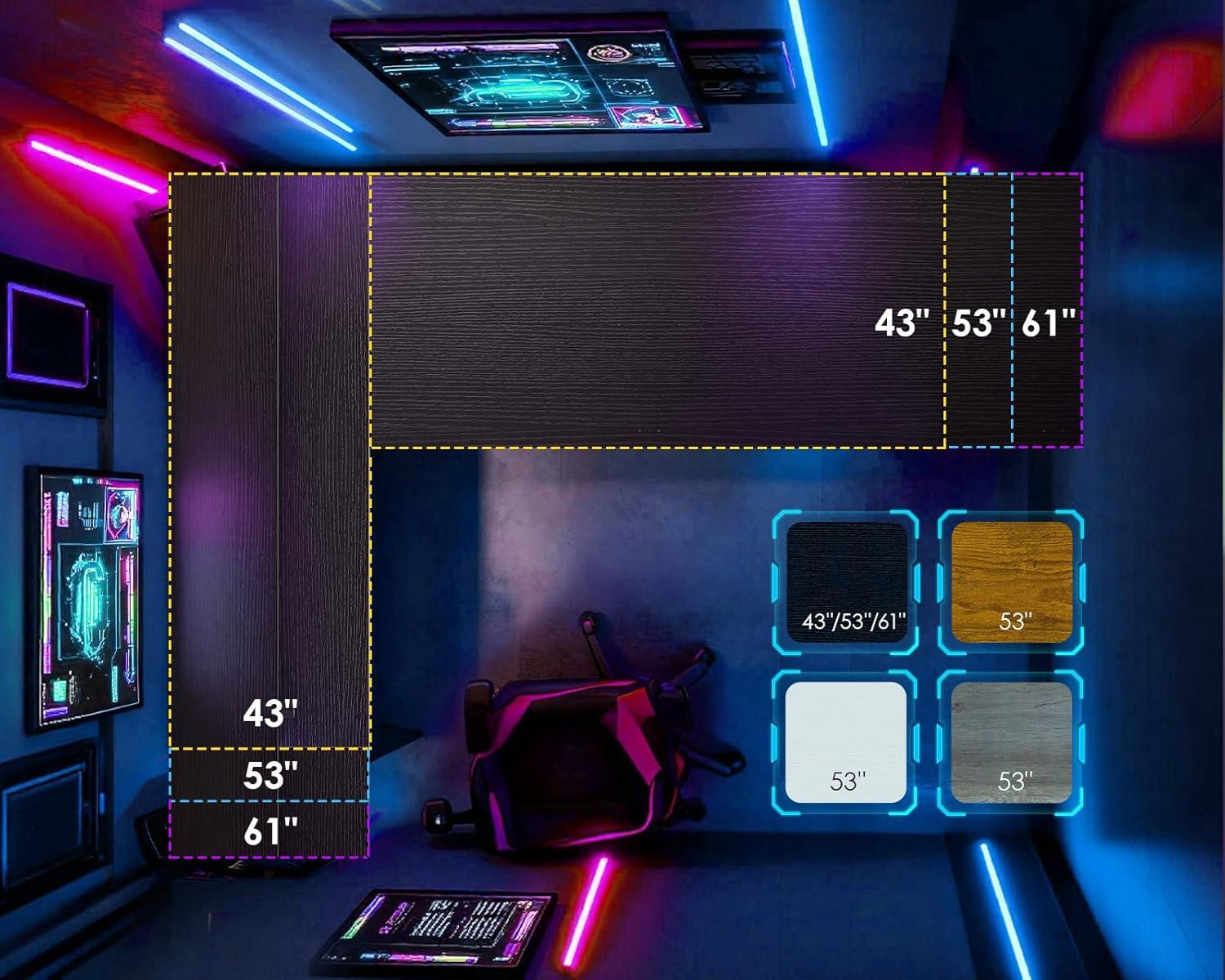
At first glance, the L shape settles into the corner with a compact, intentional presence. You notice how the two planes meet at a near-right angle, one arm running along each wall so the desk reads as a single anchored unit rather than two separate pieces. If your baseboard is tall or your walls aren’t perfectly square, you’ll probably nudge the frame a few times before it sits flush; small gaps where the back meets the wall are common until you press it into place. The upper shelf and surfaces form a layered silhouette against the corner, creating pockets of shadow and short sightlines when you approach from either side.
Once you start using it, the corner quickly becomes an active zone. You tend to park your chair in the inner angle, which leaves the outer arm projecting into the room and occasionally into a traffic path—you’ll notice this most when you stand up and walk around. Cable runs and power cords collect along the back edge and against the wall unless you tuck them down; they tend to drape into the corner in a loose bundle unless you adjust them. Moving between the two surfaces feels like shifting workstations: a fast pivot and your reach changes, and the desk’s footprint defines where you keep essentials within arm’s reach. For some orientations, the desk can feel enveloping; for others it opens up more of the room, depending on which arm faces the doorway and how you push it against the wall.
Up close with the tabletop, frame and built in LED so you can see the materials and finishes
Get close enough and the tabletop reads as a thin laminate skin over a composite core — the surface gives under a fingertip with the faint resistance of coated particleboard, and you’ll notice a barely perceptible grain printed into the finish. edges meet at a narrow seam: the top edge feels slightly rounded rather than razor-sharp,and along that joint the laminate sometimes lifts a hair after assembly or if it’s nudged while you’re moving things around. Light from the room bounces off the top in a soft, even sheen; fingerprints show up more readily on the black surface and tend to blend back in after a quick wipe.
The metal frame sits lower than the tabletop when you crouch to inspect it.You can see welded joints and the small hex bolts that secure the crossbars; the powder coat is matte with a faint texture that muffles reflections and gives the steel a dry, cool-to-the-touch feel. At each leg you’ll spot plastic caps or adjustable glides — some have tiny gaps where the glide meets the leg, and the paint finish can collect dust along those seams. Underside details are visible when you look up from below: pre-drilled holes, routed channels for cables, and the simple mounting rail that holds the upper shelf or LED strip in place.
With the built-in LED running,the strip sits recessed beneath the shelf so the light washes the back wall more than it glares into your eyes. Colors shift clearly across the plastic diffuser; in darker rooms the hue spills onto the surface of the desk and highlights micro-texture in the laminate. The control module and wiring are tucked close to the frame, and from a close angle you can see the adhesive strip that fixes the LED in place — the adhesive can show a slight ridge where it was pressed down. When you slide your hand along the shelf underside you feel the thin channel that protects the wiring rather than a flush, seamless finish.
| Component | Observed material | Finish & notes |
|---|---|---|
| Tabletop | laminate over composite core | Matte/low-sheen, printed grain, shows fingerprints, rounded edge seam |
| Frame | Powder-coated steel | Matte textured coat, visible welds and bolt heads, plastic glides at feet |
| Built-in LED | LED strip with plastic diffuser | Recessed mounting, visible adhesive channel, light washes surface and wall |
Where the shelf, storage bag, hook and power outlet are placed and how they attach to your desk
The upper shelf sits along the corner of the L, rising above the main work surface so that when you sit down it frames your monitor rather than blocking it.You install it to the vertical supports that rise from the desktop: the shelf boards rest on metal brackets and are secured with the supplied screws through pre-drilled holes,so the shelf feels anchored to the frame rather than merely resting on top. As the top hutch is reversible, you’ll notice the same bracket points on either side—once the shelf is bolted in place it stays put, though you may find yourself nudging paper or small items into the back corner as you reach across the desk.
the fabric storage bag hangs from the underside of the shorter return and from one of the side rails, positioned within easy reach while seated.It slips over or loops around a pair of metal supports and is held by Velcro straps or by tabs that feed through sewn loops, depending on how you assemble it; in everyday use the bag sags a little as you load it, and the straps soften and settle with time. The headphone hook fastens to one of the outer frame members near the desktop edge — you screw it into a pre-drilled hole or slide it into a bracket, so the hook sits just below the surface where you can hang headphones without them swinging into your knees.
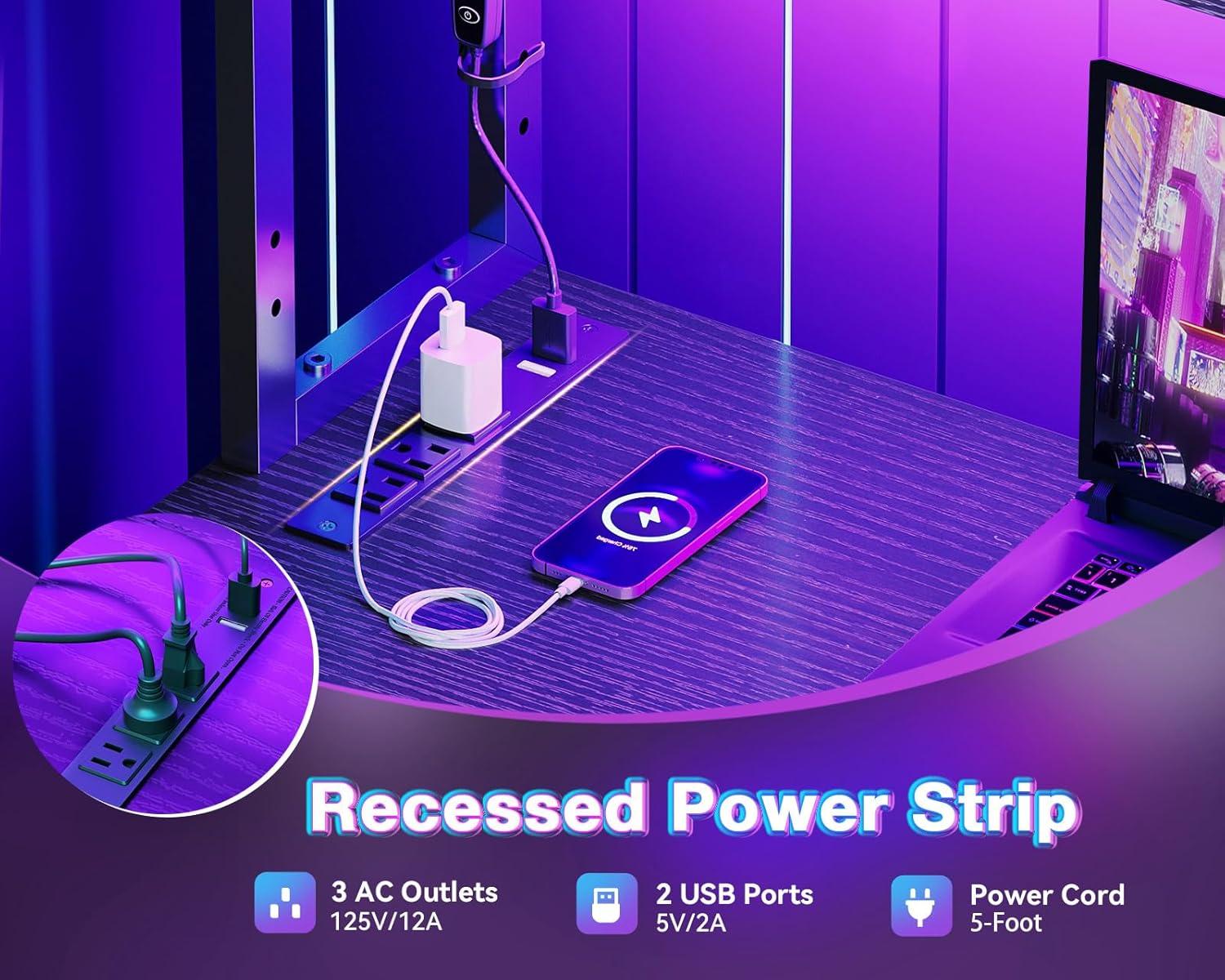
The power module—three AC outlets and two USB ports—mounts along the rear underside of the shelf or the back edge of the main desktop, with its face angled toward you for easy plugging. It is attached to a small metal or plastic plate and secured with screws that line up with holes in the frame; the cord exits out the back and follows the frame toward the wall. From your chair the outlets are reachable without stretching, and the USB ports line the module’s face so you plug phones and peripherals without having to crouch under the desk. Cables tend to collect along the channel where the frame meets the desktop, and you’ll ofen tuck them there as you plug and unplug devices.
| Component | Typical Placement | How it Attaches |
|---|---|---|
| Upper shelf | Corner/top hutch above main desktop (reversible left/right) | metal brackets and screws into pre-drilled frame holes |
| Storage bag | Underside/side of the return, within arm’s reach | Loops or straps around frame supports (Velcro/tabs) that fasten to sewn loops |
| Headphone hook | Under edge of desktop or side rail | Hook screws into a pre-drilled hole or slides into a bracket on the frame |
| Power outlet & USB | Rear underside of shelf or back edge of desktop | mounted to a plate/bracket and secured with screws; power cord exits rear |
How the desk fills your room and the clearances you have for chair and peripherals
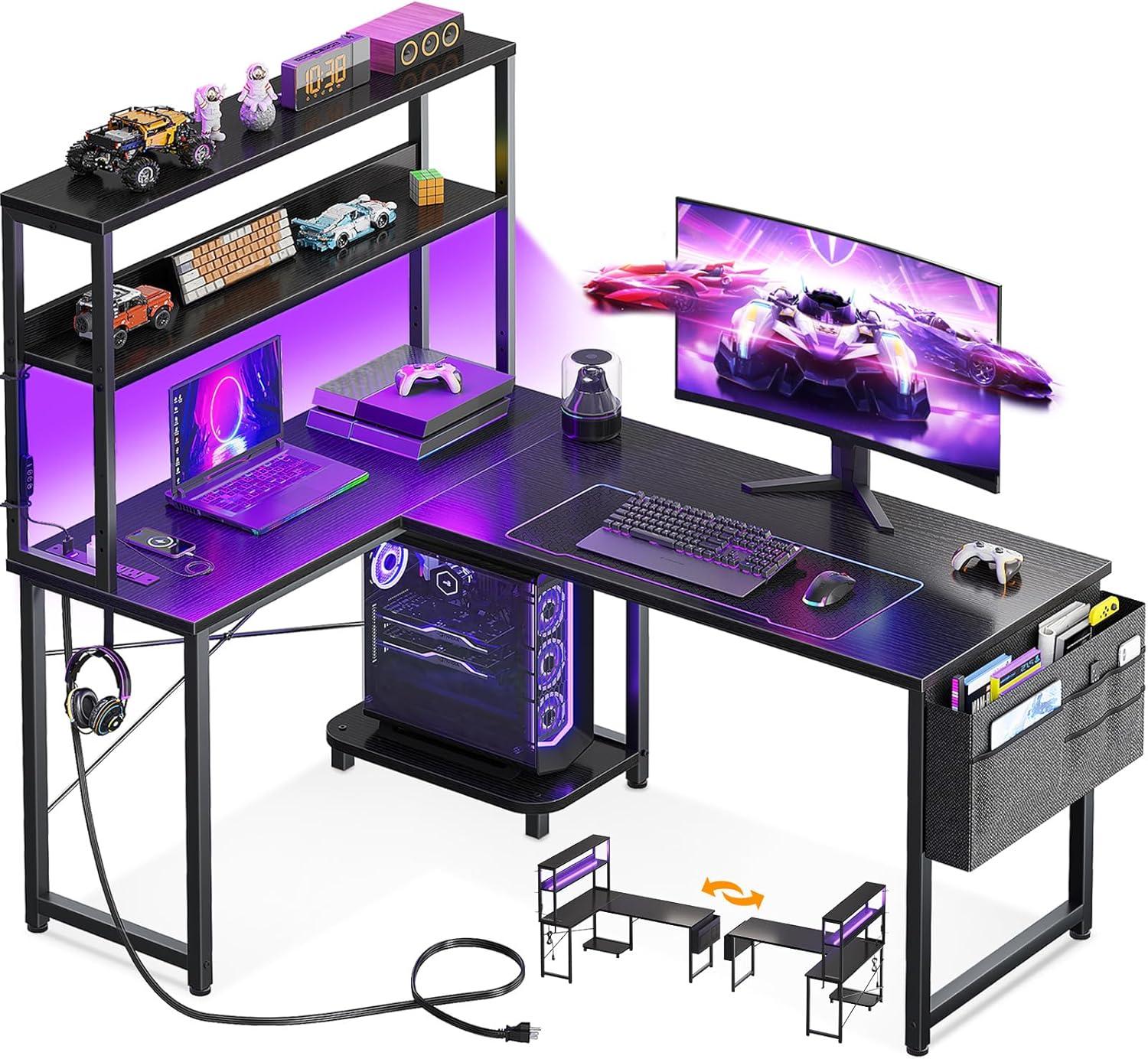
When you slide the desk into a corner, it establishes a clear working zone that occupies a visible chunk of floor without sprawling across the room. From where you sit, one leg of the L creates a short run for a monitor or laptop, while the other becomes a narrow surface for peripherals or a lamp. The upper shelf breaks the vertical line and makes the desk feel taller; standing back, the corner looks anchored but not oversized. Moving around it,you’ll notice how the corner placement channels foot traffic along the room’s edges rather than through the workspace itself.
At the user level, the desk’s underside and side clearances affect how you arrange a chair and peripheral gear. There’s enough room to tuck a mid‑height swivel chair under the main surface, though you often find yourself angling the seat slightly to reach the side shelf or the storage bag without sliding the chair fully beneath the desk. Rolling the chair back to stand tends to be a single, fluid motion; pulling the chair out and turning to access a drawer or the CPU stand can feel snug if cushions are thick or if you’re using a high‑back chair. small adjustments — nudging the chair a few inches, smoothing a cushion, or shifting a footrest — are common in everyday use.
| Observed clearance | How it translates in use |
|---|---|
| Knee and leg space | Room for most mid‑height chairs; taller backs or deep‑cushioned seats can sit closer to the edge and may require angling. |
| Chair back swing | permits a single backward roll-out; full recline or wide‑base chairs can feel constrained when turning. |
| Peripheral reach (mouse, keyboard) | Mouse and keyboard sit within easy arm’s reach when centered; moving them to the shorter L side demands a slight torso turn. |
| Access to CPU,hooks,and storage | Accessible from a seated position but often involves a lean or standing up to reach items on lower shelves or to unplug cables. |
Small practical habits appear quickly: you tend to tuck a sleeve of the chair under the desk when leaving the room, angle the chair to keep cables clear, or shift a footrest closer to reclaim shinroom. Cables and plugged‑in devices follow the same movement patterns, brushing against the inner corner when the chair is pushed back. In most cases the desk defines a compact, orderly corner workspace that requires a few everyday adjustments to keep chair and peripherals moving smoothly.
View full specifications and options on Amazon
A day at the corner: typical setups you might arrange for work,gaming and storage
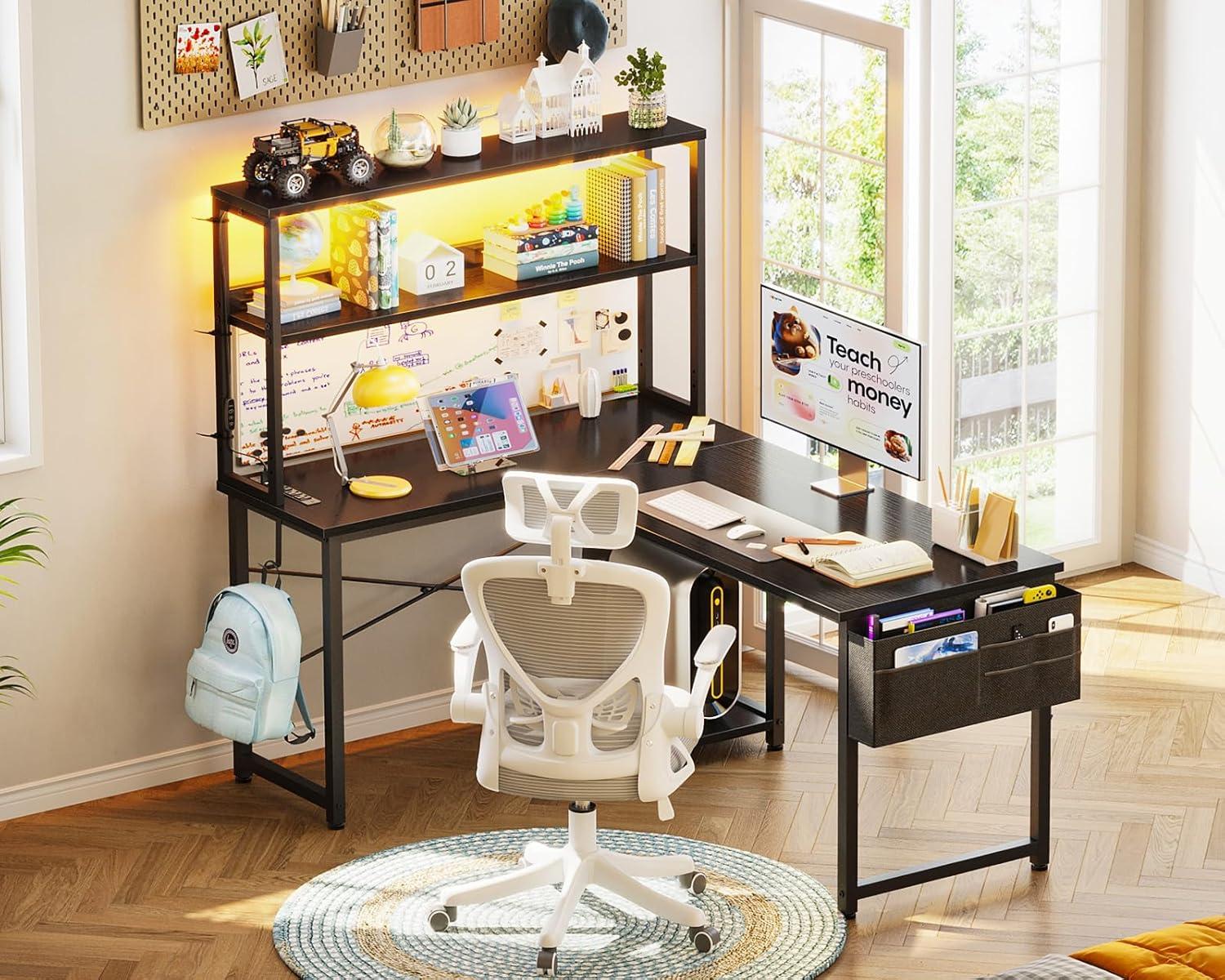
When you settle in for a workday,the corner turns into a small command center. You usually park your largest screen along the longer run,with a laptop or notebook on the return so you can swivel between tasks. A mug, a notepad and a stack of reference papers find homes on the lower shelf or to one side, and you find yourself nudging the keyboard forward or angling the monitor as calls start and stop. Cables collect in the gap where the two surfaces meet; you tend to tuck or loop them under the desk between meetings so the mouse has room to move. Small rituals—pushing a pen into the storage bag, hooking headphones back up when a call ends—happen without thinking.
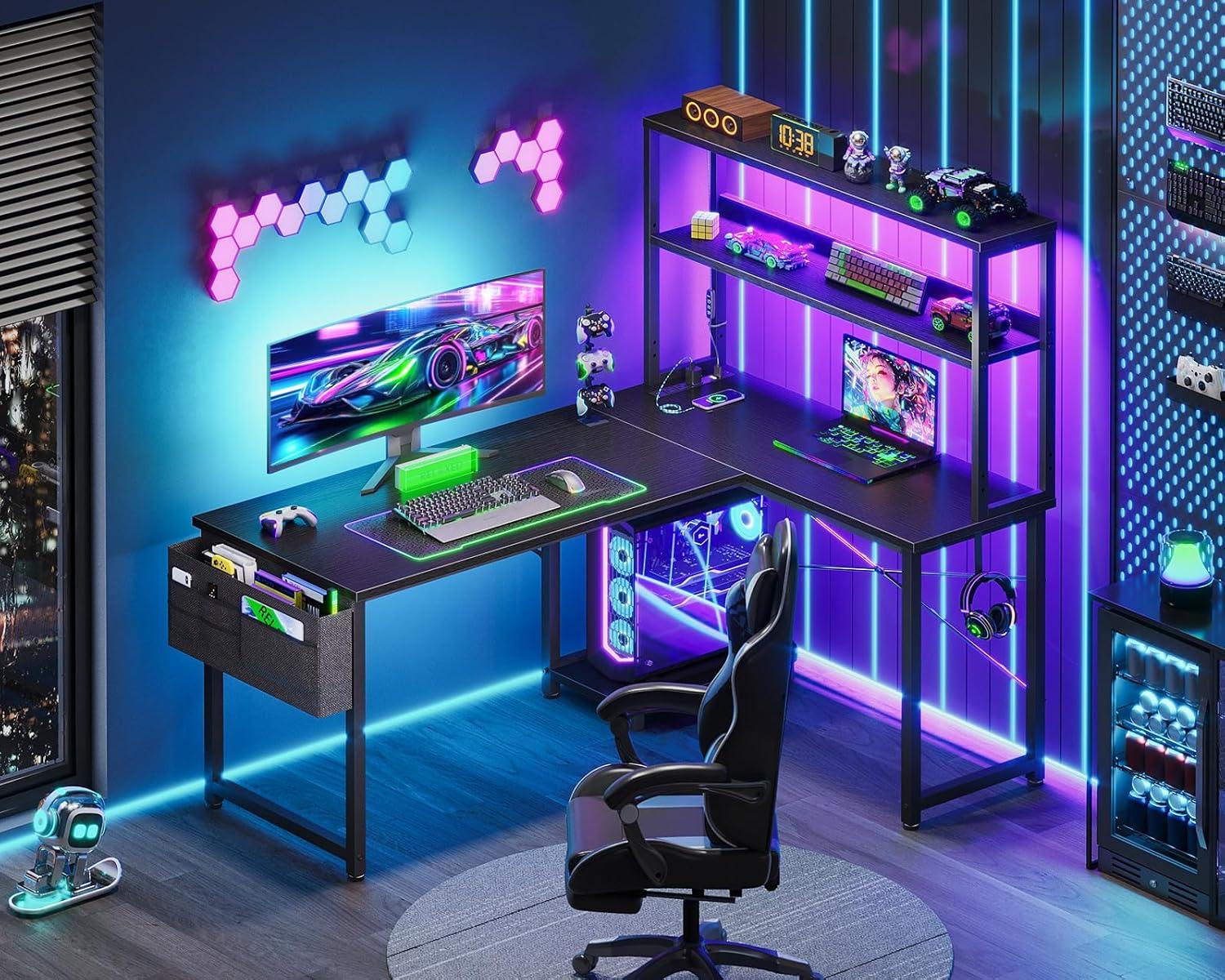
Come evening, the same corner shifts roles. One side clears for a controller and gamepad, the other keeps a headset hanging where you can grab it. The upper shelf often becomes a place for collectibles or a secondary display; the lower shelf and storage bag hold controllers, chargers and spare cables until you need them. Switching from work to play typically involves sliding a mouse pad, swapping a microphone or moving a drink, and sometimes both sides feel a bit crowded if you leave too many devices out at once. The desk’s layout tends to encourage quick, incremental rearrangements rather than large-scale resets.
| Typical setup | Main screen placement | Peripheral/storage habits |
|---|---|---|
| Work morning | Primary monitor on the long side; laptop on the return | Notebooks on shelf; pens in the bag; cables looped under the join |
| Evening gaming | Monitor centered; controller/keyboard on the return | Headset on the hook; controllers in the fabric pouch; chargers tucked away |
| Storage/standby | Screen off or moved to shelf | Lower shelf holds boxes and books; small items go into the storage bag |
How the desk actually performs in everyday use compared with what you might expect

In practice, the desk behaves much like a purpose-built corner unit: once assembled and anchored, the framework settles into a steady platform for monitors and peripherals, though light leaning on the outer edges can produce a small, perceptible wobble. The reversible top hutch shifts the center of mass in obvious ways — placed on one side it can make the opposite corner feel firmer — and routine use tends to reveal which fasteners need a quick retighten. Over time straps on the storage bag and the hook’s mount can creep a little with repeated loading, so the arrangement of frequently moved items often changes after the first few days of use.
The integrated power strip and USB ports deliver the convenience advertised; in everyday setups they cut down on the need for extension cords,but having several chargers plugged in together can leave a cluster of cables trailing around the desk’s leg and shelf edges. The LED strip provides usable ambient light with noticeable memory of the last setting, though dynamic modes and brightness adjustments are things users fiddle with until they settle on a preferred scene. Surfaces show normal signs of contact — mouse pads shift, headphones are hung and rehung — and the CPU stand and lower shelf perform as expected for smaller towers and peripherals, with heavier loads tending to press slightly on the shelf edges after extended use.
| Expectation | Everyday behavior |
|---|---|
| Stability | Steady when anchored; slight flex at outer corners under pressure |
| Lighting | Ambient and memorable settings; brightness levels are usable but often adjusted |
| Power outlets & USB | Convenient charging; tends to create visible cable clusters near shelves |
| Storage | Shelves and bag hold daily items; heavier objects cause subtle sagging over time |
Ensuring the unit is properly anchored reduces tip risk and keeps the desk performing more consistently; overloading the top hutch or leaving multiple high-draw devices connected can alter how the desk feels in regular use.
View full specifications and options on Amazon
What you can watch for over time: wear patterns, maintenance and how components hold up in regular use
Over months of everyday use, a few patterns tend to emerge. The desktop finish frequently enough shows the quickest change: light scuffs and micro-scratches collect around mouse and keyboard zones,while the front edges can develop tiny chips where items are dragged on and off. The thin veneer or laminate occasionally lightens where friction is constant, and seams near joins can lift slightly if the desk is moved or exposed to fluctuating humidity.
Hardware and storage components reveal different rhythms of wear.Shelves can show a gentle sag when regularly loaded with heavier items; mounting points for the upper rack sometimes loosen after repeated reconfiguring. Fabric accessories such as the storage bag show thread pull and zipper wear first along stress points,while the metal headphone hook may lose some coating where contact is frequent. Feet and levelers tend to accumulate scuffs and compressed rubber that alter how the desk sits on an uneven floor.
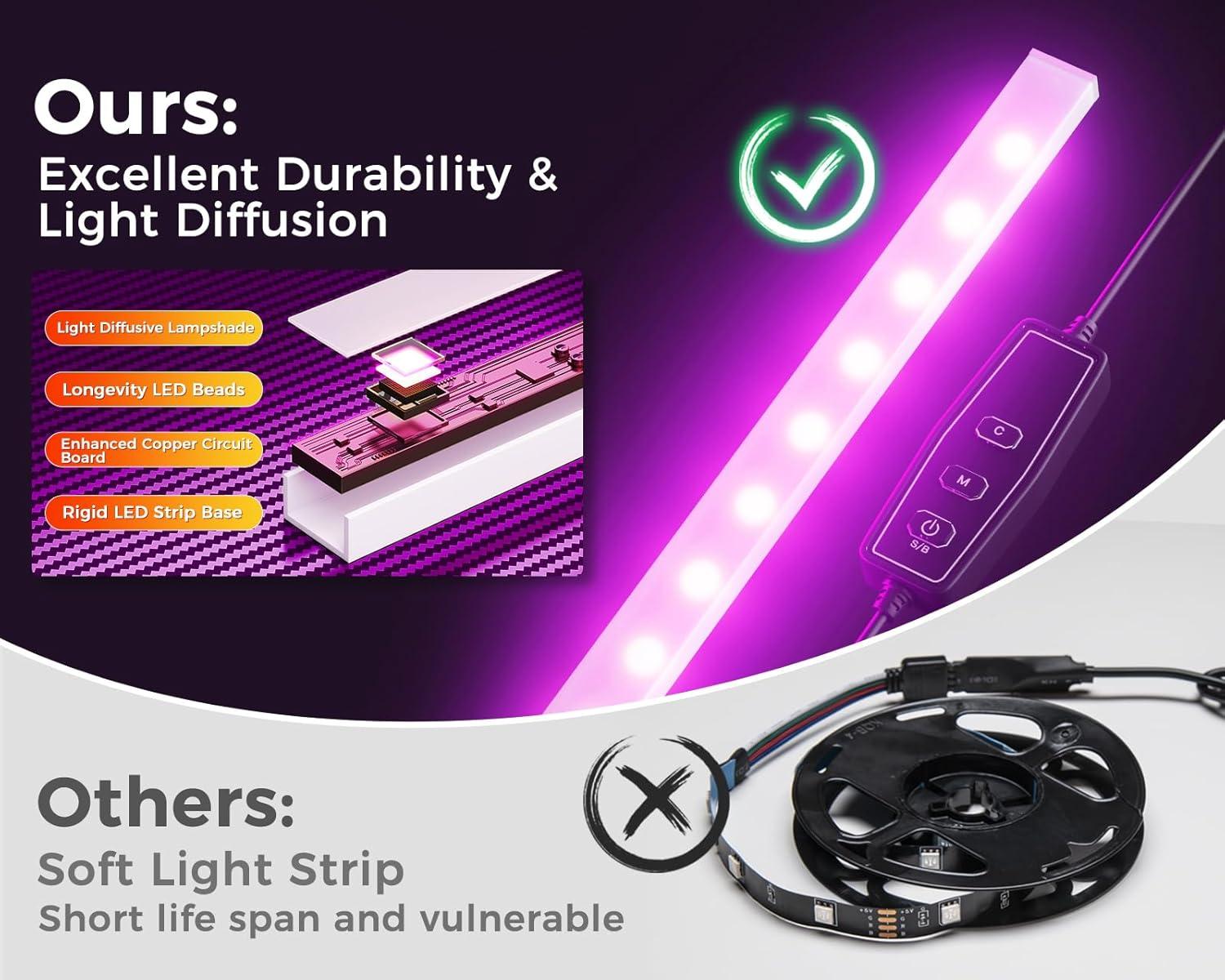
Electrical and lighting elements behave in distinct ways over time. LED strips commonly display slight dimming or a change in colour balance after extended use, and mode controllers may become less crisp in response. Repeated plugging and unplugging of USB ports and outlets is associated with looser fit and, in some cases, minor discoloration around the sockets. Heat buildup around the power module has been noted in higher-load scenarios, appearing as faint discoloration rather than dramatic damage in most accounts.
| component | What to watch for | Typical timeframe seen in reports |
|---|---|---|
| Desktop surface | Micro-scratches,edge chipping,slight color change in high-friction areas | Weeks to months |
| Shelves and mounting points | Minor sagging,loosened fasteners after repositioning | Months |
| Fabric bag & hook | Thread wear,zipper strain,coating wear on metal hook | Months to a year |
| LED strip & controller | Gradual dimming,occasional mode-memory hiccups,less responsive buttons | Several months |
| Power outlets & USB ports | Looser plug fit,mild discoloration around sockets under heavy use | Months to a year |
| Feet and levelers | Scuffs,compressed rubber,small shifts in desk level | Weeks to months |
Accounts tend to describe these changes as gradual rather than sudden,and patterns frequently enough depend on how the desk is used day to day. Where fastening points receive repeated stress, small adjustments are a frequent observation; where electronic components see heavy duty charging or 24/7 lighting, subtle performance shifts are more commonly reported.
View full specifications and available options on Amazon
How the Set Settles Into the Room
Living with the AODK L Shaped Desk Gaming Desk with LED Light & Power Outlet, 43 Inch Reversible L Shaped Computer Table with Shelf, Corner Desk with Storage Bag&Hook for Home Office Desk, Black, you notice it softens into the room over time rather than making a first-day announcement; the corner it occupies becomes a habitual pause in your path and the top collects the same few items in the same few places. In daily routines the way you sit and reach shifts slightly to meet it, and small surface marks and the patina of use begin to read like maps of those movements. as the room is used and emptied and used again, it settles into a quiet, ordinary presence in your household rhythms. After a while it simply stays.
As an Amazon Associate I earn from qualifying purchases.
