
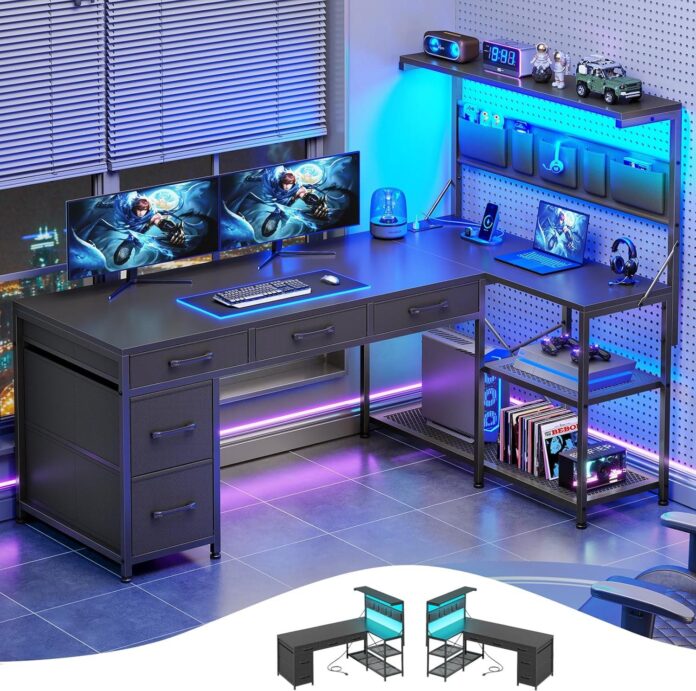
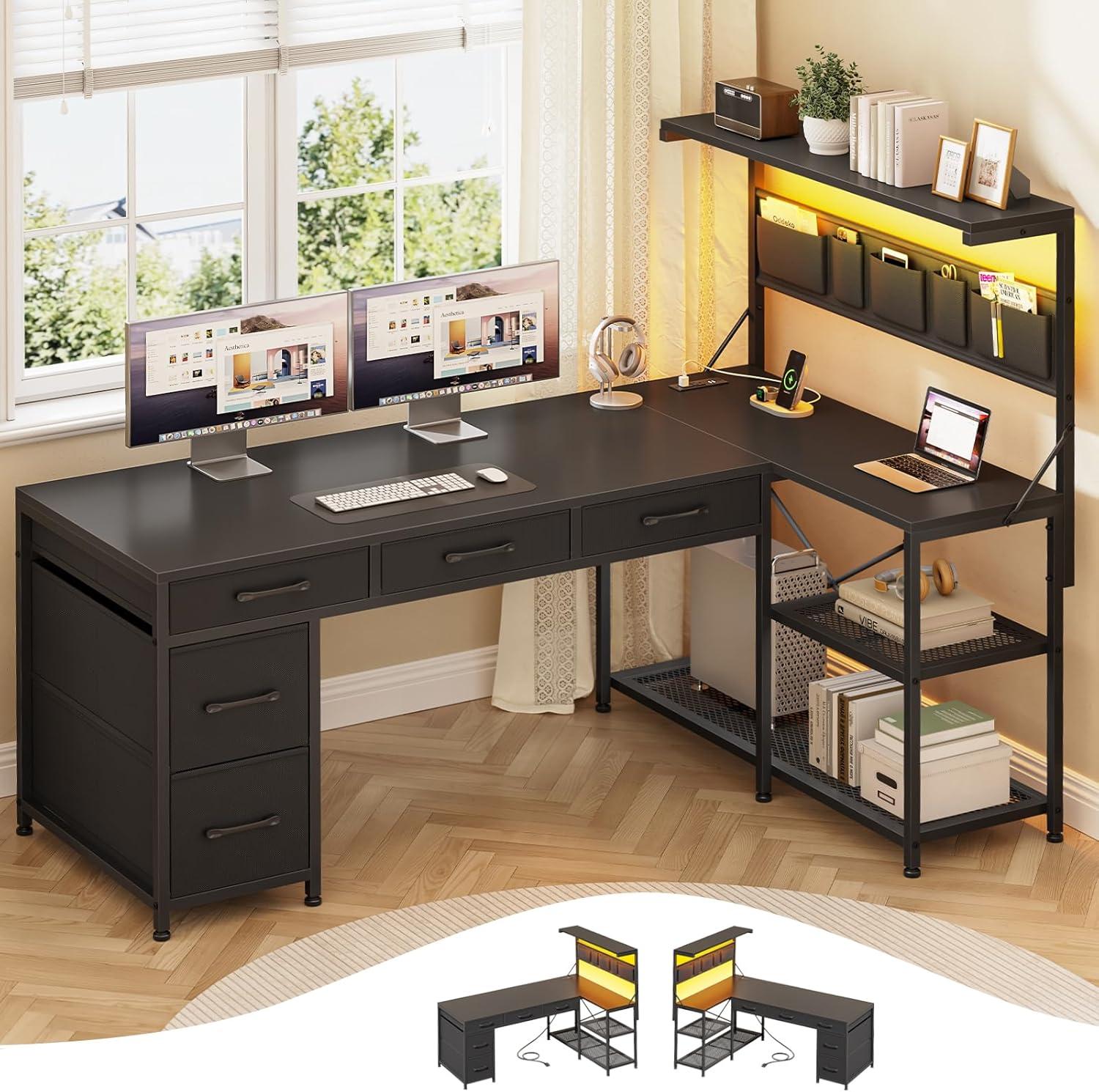
Late afternoon light pools on the matte black desktop,and from where you stand the L-shaped silhouette carries a clear,measured visual weight in the room. the Itaar L Shaped Gaming Desk pairs a reinforced-steel steadiness with a slightly textured surface that feels cool under your palm. you pull a fabric drawer and it moves with a soft rustle; flip the LED strip and the backlight washes the wall in different moods, changing how the setup reads after dark. At human scale the stacked shelves and the hanging pouch form reachable pockets for the things you actually use,so the whole piece feels lived-in rather than staged.
A quick look at what you get for your corner with the Itaar L shaped gaming desk
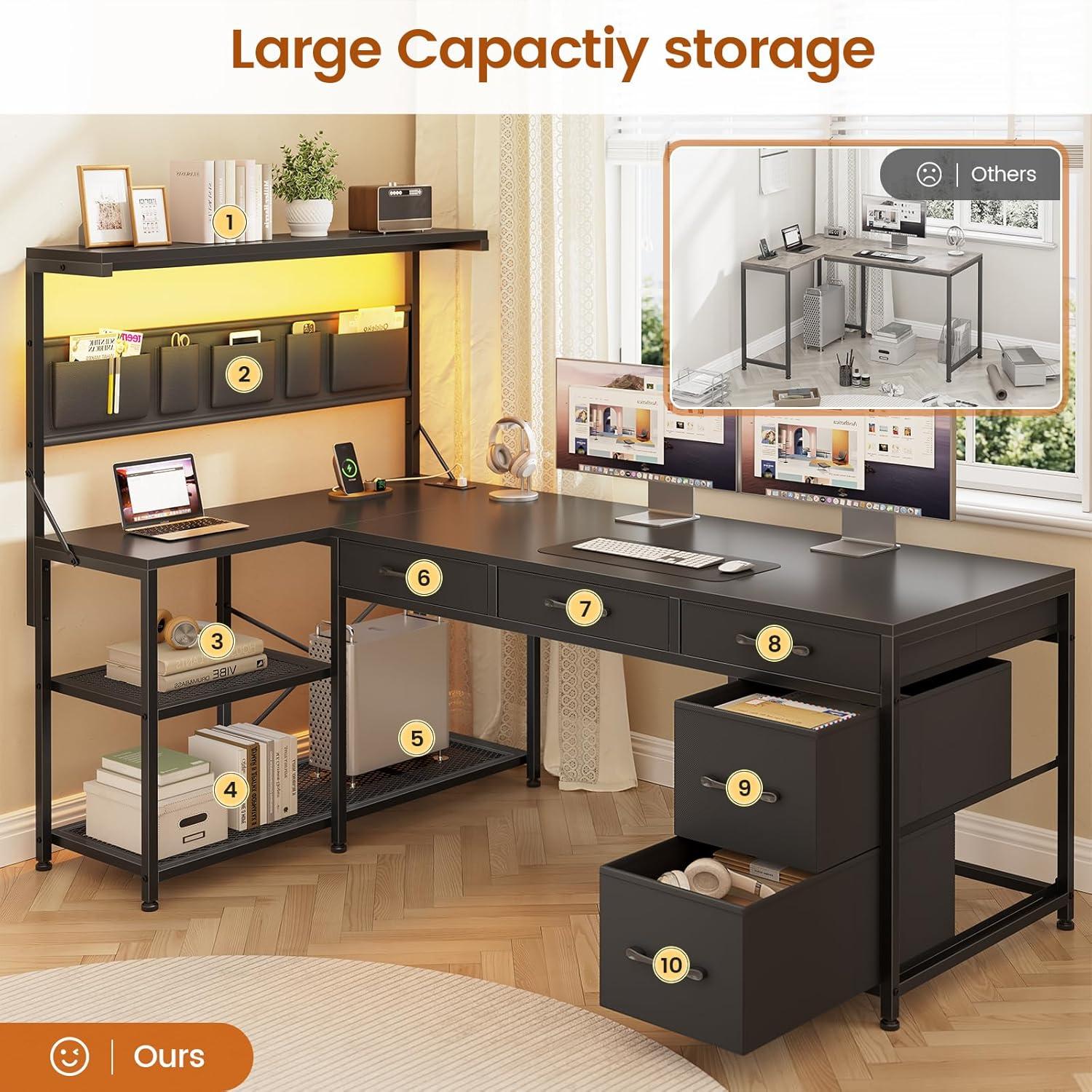
You’ll see how the desk occupies a corner the moment you approach it: two broad planes meet at a right angle, creating a primary work surface that flows into a shorter return. The drawers and fabric pouch sit along the inner side so they’re reachable without turning away from your screen; the shelving rises from the outer edge and presents small items at eye level when you’re seated. LED strips and the power module are mounted along accessible edges, so the glow and charging ports are never far when you’re leaning in too plug something or dim the lights for a late session.
| Component | Where it sits in the corner / how you interact |
|---|---|
| Primary desktop | Spans the corner; you spread monitors and peripherals across it without the center feeling cramped |
| Return surface | Shorter wing for speakers, controllers, or reference materials you grab from the side |
| Fabric drawers | Stacked under the return; you pull them out while seated, and small items shuffle softly inside |
| Four-tier shelves | Vertical storage against the outer side; you reach up for books or display items between tasks |
| Hanging storage pouch | Clipped beneath the shelf edge; it swings a little when you remove controllers or cables |
| LED lighting & power strip | Installed along reachable edges; you toggle lights and plug in devices without leaving your chair |
In everyday use the corner setup feels like a single, connected workspace. You find yourself shifting items toward the center when you need clear tabletop space, and using the vertical shelves to keep frequently used items within arm’s reach. Small habits emerge — angling a speaker into the corner, nudging the hanging pouch away from a footrest, or tracing the LED control as the room light changes — so the desk becomes part of the routine rather than a separate piece of furniture.
How the black finish and L shaped silhouette sit in your room
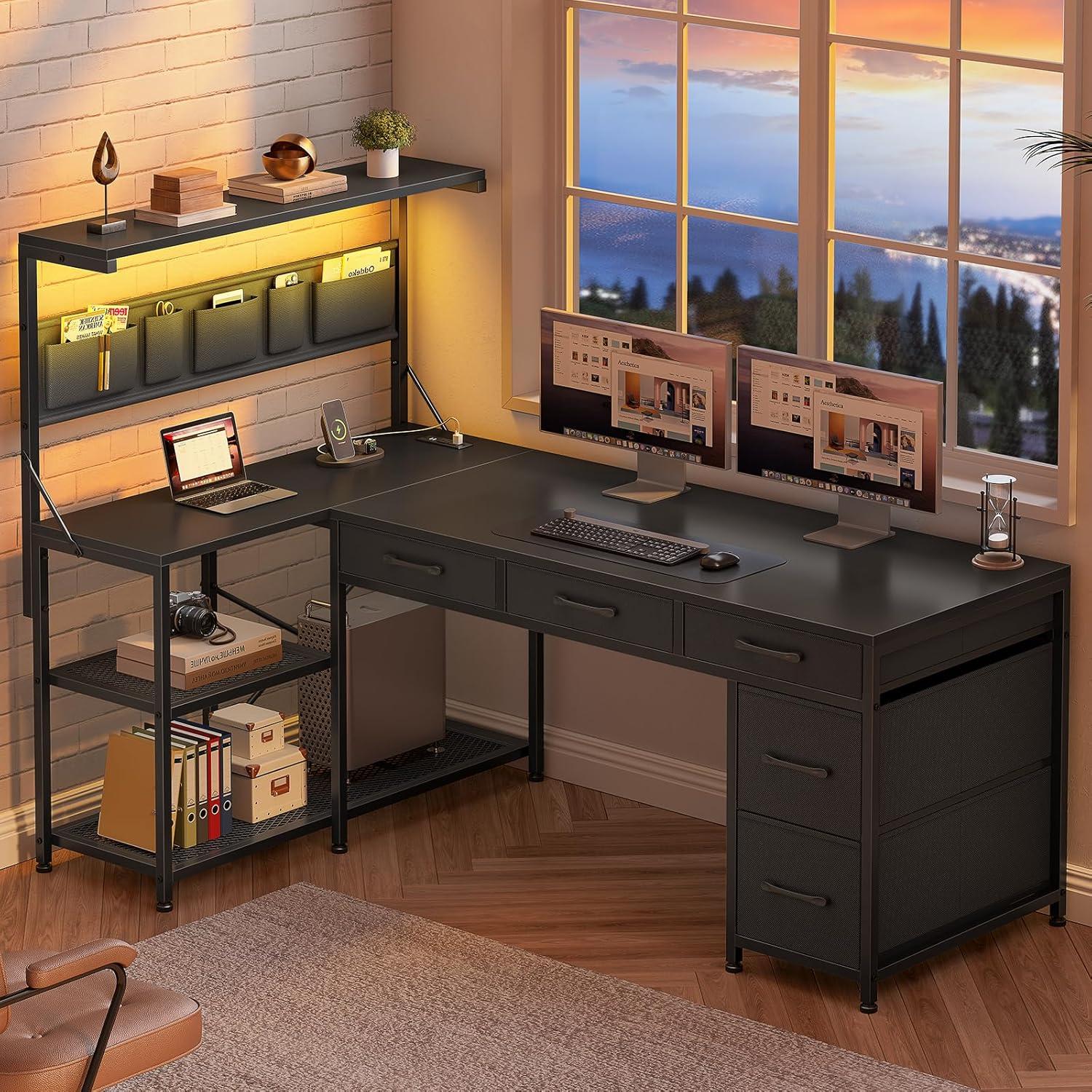
The black finish reads as a visual anchor in most rooms, absorbing glare and softening reflections so the desktop frequently enough appears as a single, uninterrupted plane. In bright daylight the surface can take on a slightly warm charcoal tone where sunlight grazes it; under softer or cooler lighting it tends to recede, sharpening the L-shaped silhouette against lighter walls.Fingerprints and dust become noticeable when viewing from close range or at low angles, and the look shifts subtly as people move around the room—edges catch a thin highlight while flat faces stay visually quiet.
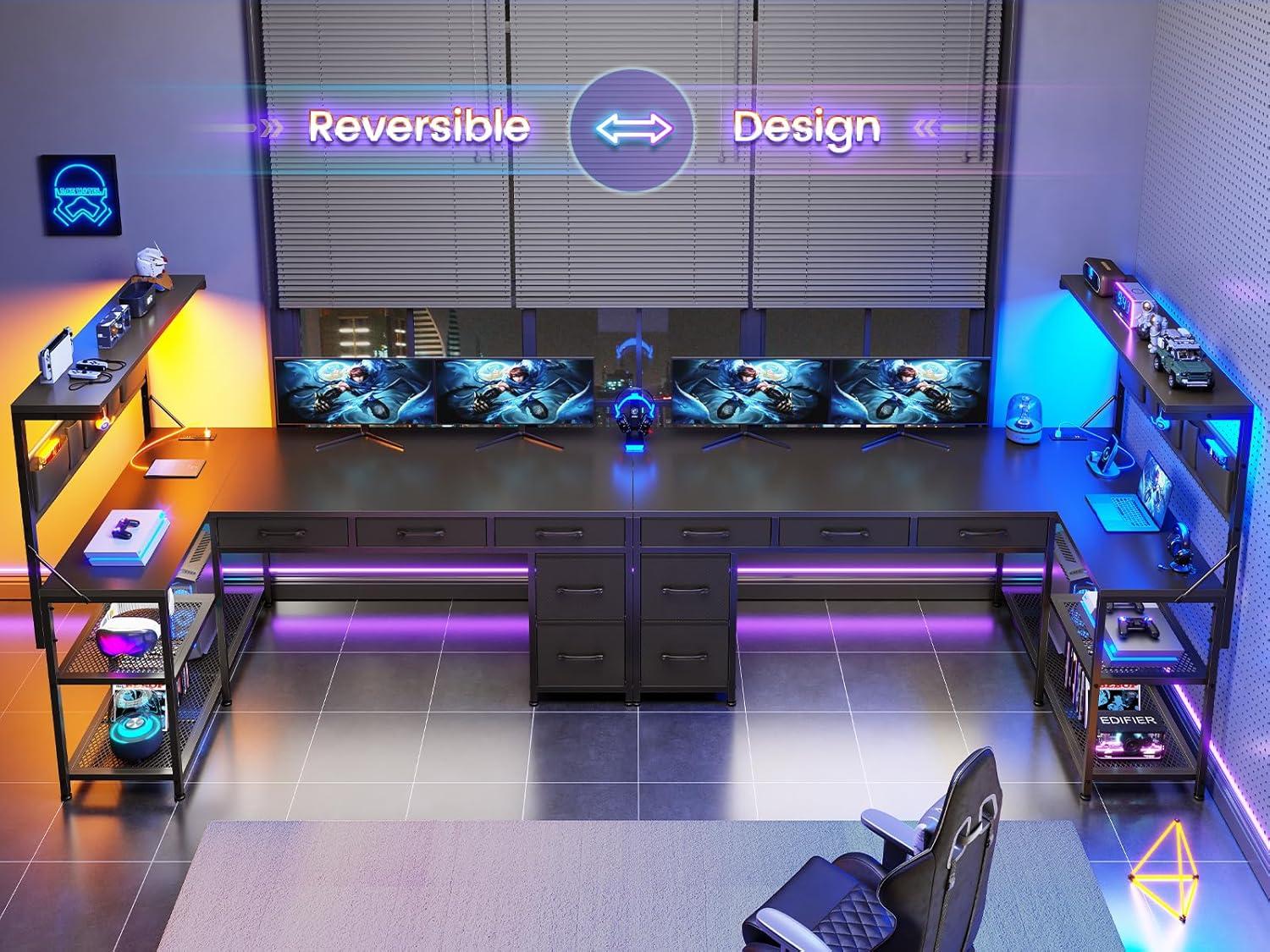
The L-shaped profile defines a corner without demanding the center of the room. From the doorway the longer wing usually frames the work area, creating a partial screen that changes sightlines and the flow of movement; passing by, one notices how the return invites a slightly different walking path than a straight desk would. Where the two surfaces meet, the joint reads as a continuous corner rather than two separate pieces, and the vertical elements beneath introduce a steady rythm that helps the silhouette hold its place against baseboards and shelving. Orientation swaps (left vs.right) alter which parts of the room are visually contained and which remain open, so the silhouette’s spatial effect can feel different from day to day.
| lighting condition | How the black finish appears |
|---|---|
| Morning daylight | Warmer charcoal with soft surface highlights |
| Bright artificial light | Flatter, more uniform black; edges slightly defined |
| Low / mood lighting | Recesses into the room, making the silhouette feel sleeker |
View full specifications and colour options
What the desktop surface, drawers and frame feel like when you handle them
When you run your hand along the desktop, it feels mostly smooth with a subtle matte texture under your fingertips rather than a high-gloss slickness. Dragging your palm across the surface tends to show faint seams at joins and the L-joint; those junctions are noticeable by touch more than sight.The edge trim feels slightly firmer and more defined than the center of the top, and a light tap produces a muted, hollow note that reminds you there’s structure underneath the surface.
Pulling a drawer toward you makes the fabric front give in a way a wood drawer wouldn’t — the material has a soft weave and a little spring to it, and you can feel stitching and reinforced seams where the handle sits. The drawers slide with a faint rustle rather than a smooth metal glide; when loaded they sit more solidly,and empty they can wobble a touch as you move them. The frame is cool to the touch, weighty, and finished with a powder-coated feel; when you brace an elbow on a corner you notice the rigidity and the places where bolts and brackets meet the tubing. Plastic elements — the LED control housing and the power-strip casing — feel lightweight and clicky under your fingers, and they warm slightly after the system has been on for a while.
| Part | Tactile impression |
|---|---|
| Desktop | Matte-smooth center, firmer trimmed edges, faint seam at the L-joint |
| Drawers | Soft woven face, reinforced seams at handles, subtle rustle when sliding |
| Frame | Cool, solid metal with powder-coat finish, noticeable fasteners at joins |
| Controls/Ports | Light plastic housings, clicky buttons, gentle warmth after use |
Where your monitors, mouse and legs naturally fall across the desk during a session
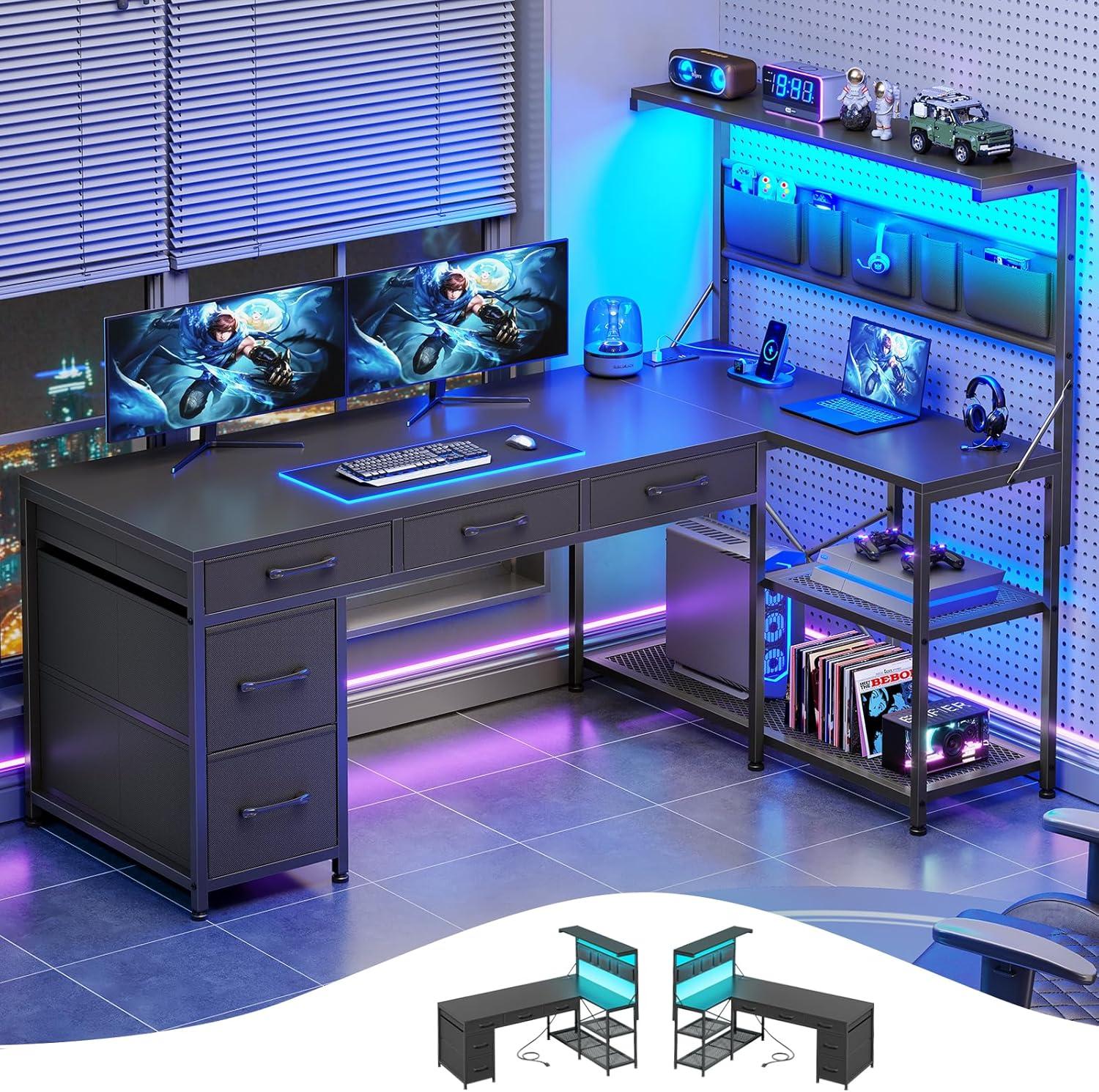
When you settle in for a session the monitors usually end up where you can see them with the least head turn: the main screen sits toward the center of the longer run and any secondary display drifts into the corner return. You’ll notice the bases rest a little forward of the desk’s back edge so cables and a small gap for airflow stay accessible; once the screens are arranged, they rarely move much except for small nudges when you reach for something on the shelf.
your mouse naturally finds a spot just to the side of your dominant hand, ofen nearer the corner seam if you’re using the return as an armrest. The pad tends to wander outward over time — you push it closer to the lip of the desktop during intense moments and then pull it back when reading or typing. Forearm contact with the desk is common: you smooth the surface with a sleeve or unconsciously shift your elbow to chase a more comfortable reach.
Legs and feet carve out a predictable zone beneath the L. Most people tuck their knees into the corner beneath the junction, with shins angled toward the longer span so feet can slide under. There’s usually enough room to stretch one leg out into the open part of the L, and crossing a leg happens without much thought. Occasionally your shins brush a support or the underside shelving when you shift, and you’ll move slightly forward or back to find a sliver more clearance.
| Component | Typical placement while working | Observed behavior |
|---|---|---|
| Monitors | centered on long run / angled into corner | Shifted slightly forward for cable access; minor re-centering during long sessions |
| Mouse | Near dominant hand, often close to corner seam | Pad drifts outward; forearm rests on edge intermittently |
| Legs | Knees tucked into corner, feet angled along longer span | Occasional brushing of supports; one leg often stretched into open area |
Putting it together and measuring the footprint in your space
When you unpack the parts,lay them out in roughly the corner where the desk will live; the assembly process unfolds more smoothly when you can reach the longer panels without constantly shifting boxes. The instruction sheet and numbered pieces are arranged so you can follow steps in sequence, and you’ll likely find yourself pausing to align corners and hold a bracket while fastening—those small adjustments tend to feel like part of the rhythm. As you attach the shelving and storage elements, keep an eye on where the power cord and LED strip will run: feeding cables along the back edge and under the frame while you work keeps them from getting trapped between panels. It’s common to nudge a leg or two after the main frame is upright to make everything sit level; minor wiggles and re-tightening happen as the desk settles into place.
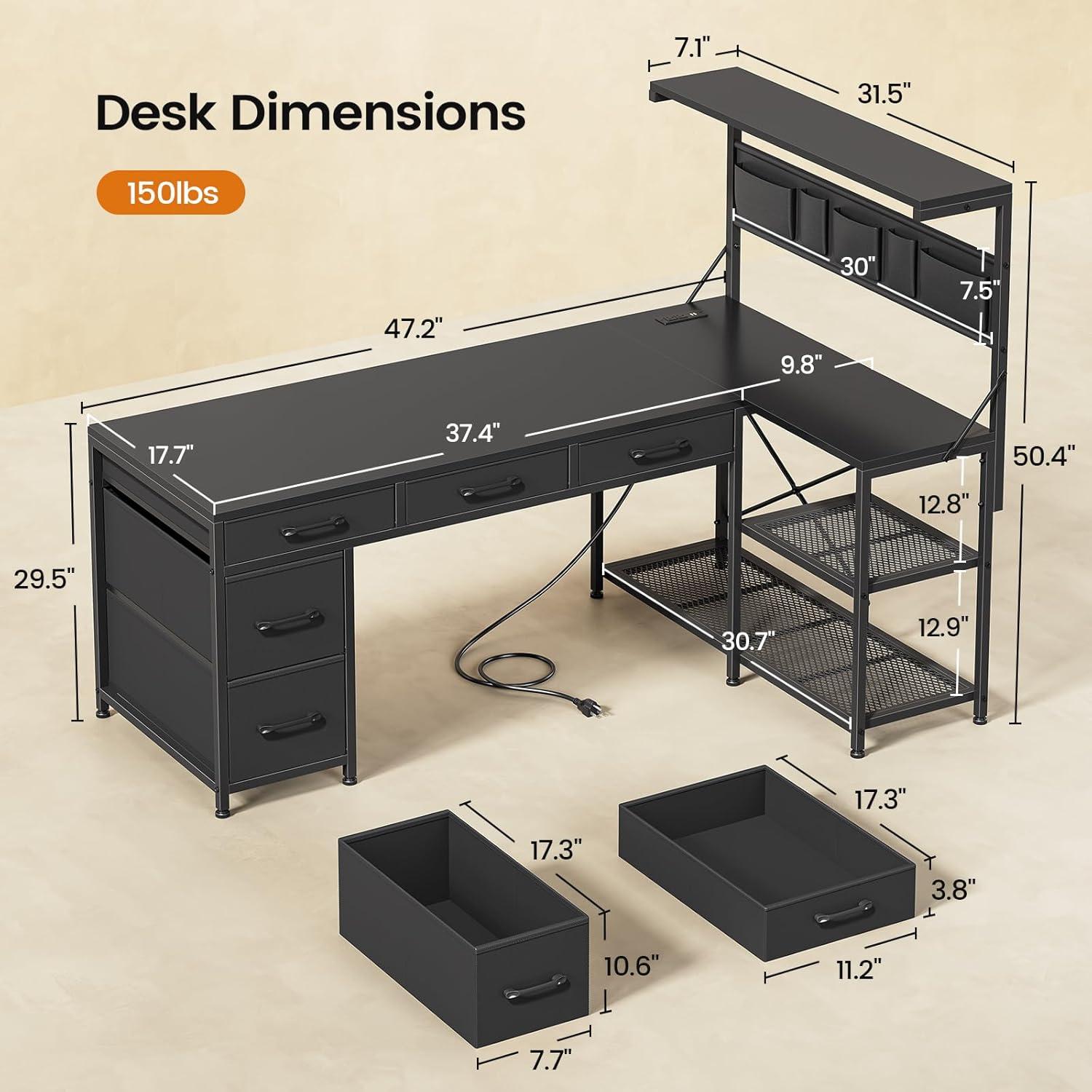
Measuring the footprint before and after assembly makes the difference between a tight fit and having a little room to move. Measure from the corner along each wall and then out from the wall to account for chair clearance and the storage pouch projection; the hanging bag and shelving extend the overall profile more than the desktop thickness alone. The following table collects the main listed dimensions and a couple of practical clearances you might check in your space—use them as reference points while you mark walls and test chair movement. Remember that orientation changes the left/right spread, and rolling a chair or shifting monitors can add a few inches to the functional footprint.
| Reference dimension | Approximate value | What to check in your room |
|---|---|---|
| Desktop surface length (one wing) | 47.2″ | Measure along the wall from the corner to ensure the wing clears any radiators, vents, or trim |
| Desk height | 29.5″ | Confirm keyboard and monitor heights relative to your chair and any raised platforms |
| Hanging storage bag | ~30″ | Allow for the bag’s drop when seated and for items hanging below the desktop edge |
| Chair clearance to wall (suggested check) | ~6–12″ | Test with your chair back and casters in place; some chairs reduce usable space when reclined |
After assembly, walk around the desk and sit at it briefly to see how the edges line up with baseboards and outlets, and to confirm where the power strip’s cord reaches. In everyday use the desk can shift a touch if bumped, and cables may move when you plug and unplug devices—those small changes are part of the installed setup and often reveal where an extra inch or two of clearance would help. If you want to double-check any listed measurements or color options,view full specifications and options.
how this desk measures up to your expectations for a gaming corner
Placed into a corner, the L-shaped surface reads as a wraparound workspace that keeps monitors, a keyboard, and peripherals within easy reach; the arrangement encourages a habitual layout where the main screen sits at the apex and secondary gear occupies the return. The integrated lighting and power elements register as part of the setup rather than add-ons — the light strip changes the room’s contrast during late sessions, and the power module’s location makes charging a routine, one-handed motion while gaming. Small habits emerge: cables are nudged into the nearest gap, the hanging pouch is checked for snacks mid-match, and the top shelf becomes a catch-all for headsets and controllers between rounds.
Under use, the desk presents familiar trade-offs that tend to show up over time. The drawers and fabric storage absorb clutter but can shift slightly when pulled or when a roommate bumps the frame, and the hanging pouch swings a little when a chair is rolled in close. The frame resists small nudges from leaning during intense moments, though heavier, sustained pressure can feel like a gentle flex rather than rigid immobility. In low-light sessions the leds provide consistent ambient color, but the controls sit where hands often brush them, producing occasional, unintended changes. these behaviors feel situational and, in most cases, settle into predictable patterns as the corner setup becomes part of the room’s daily rhythm.
View full specifications and options on Amazon
How the LED lights, power outlets and storage bag slot into your daily setup
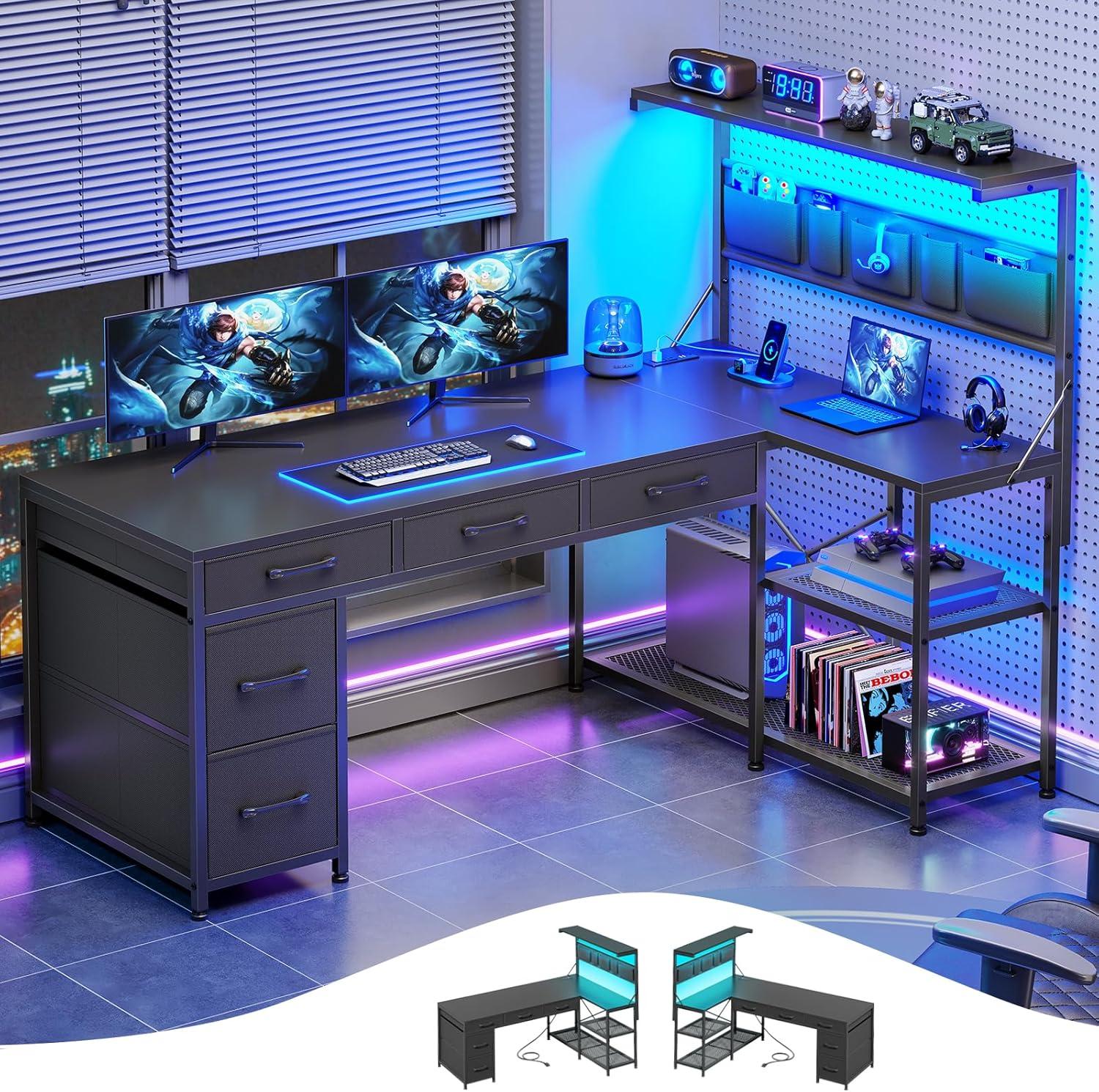
when you set up your station, the LED strip becomes part of the background more than a gadget you fiddle with constantly. You reach for the inline control when switching from daytime work to dimmed evening sessions, or when a sudden notification needs to stand out against the screen glow. The light’s color shifts register across the desktop and peripherals,so a change in hue can make it easier to spot a misplaced headset or the edge of a mousepad without turning on the main room light. When you’re moving between tasks you’ll sometimes nudge the guard or trim where the strip sits; it can shift a little over time and you tend to straighten it without thinking.
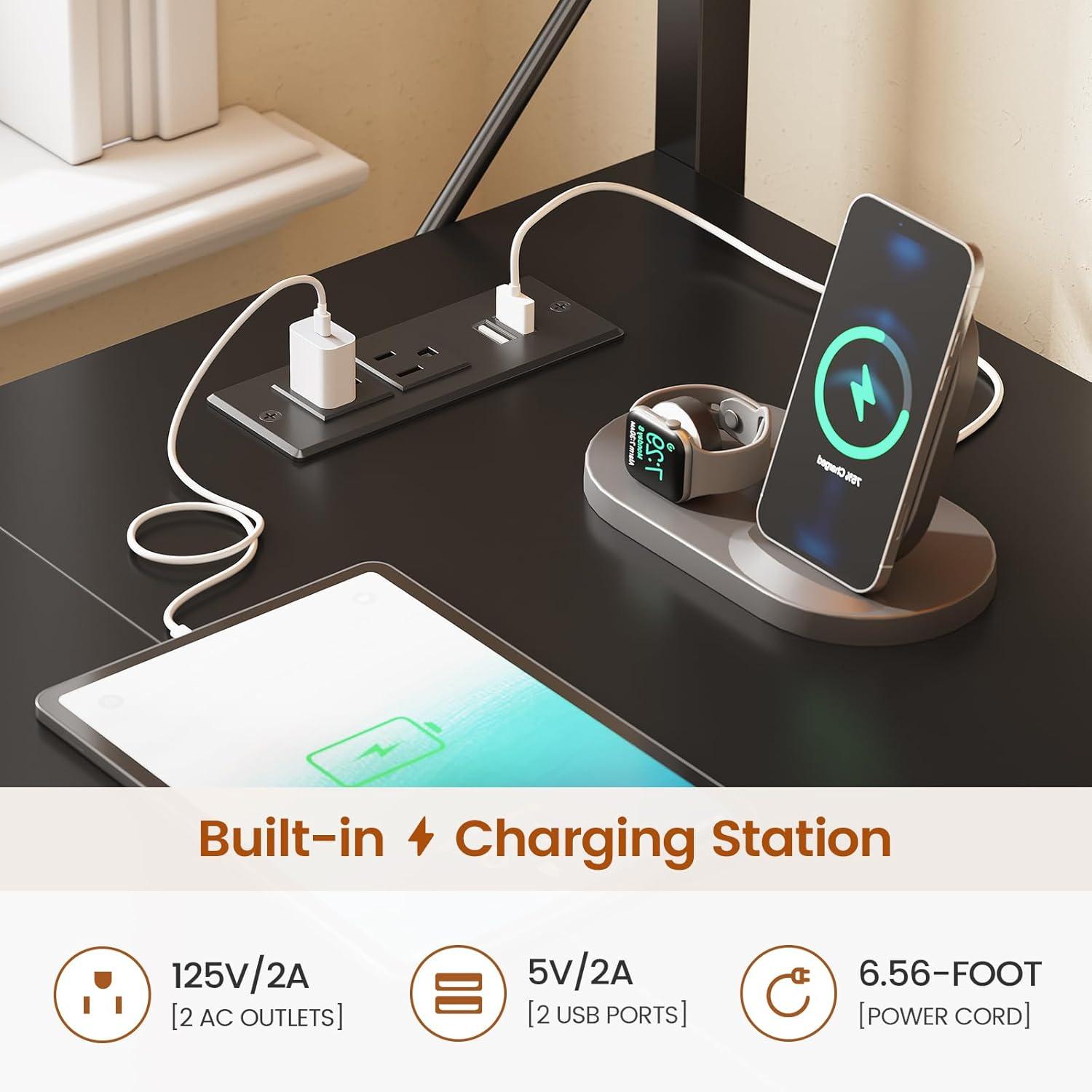
The power module sits within arm’s reach and quickly becomes the place you plug and unplug phones, lamps, or a headset charger during a session. With two outlets and two USB ports available, you’ll often use the USB ports for a phone or controller while leaving the thicker laptop or monitor plugs in the AC sockets. Cables tend to collect along the shelf edges, so you’ll find yourself tucking them into gaps or looping them behind a leg to keep them from brushing your shins. if you use multiple bulky adapters at once, they can crowd the strip and jockey for space; in most cases you shuffle plugs around rather than hunt for an extra surge protector.
The hanging storage bag slots into your routine as a grab-and-go pocket. Small items—controllers, snacks, charging bricks—end up where you can reach them without standing. When you shift in your chair or swing your legs, the pouch can sway slightly and you’ll sometimes pat it down to keep contents from settling near the floor. Over the course of a day it usually stays out of sight but within reach, and you habitually check it first before opening drawers or moving to another room.
| Feature | Where it sits during use | Typical moment you interact |
|---|---|---|
| LED lighting | Along the desk edge or underside of the shelf | Swapping ambient modes when shifting from work to evening play |
| Power outlets & USB | Under-shelf or side-mounted, within arm’s reach | Charging phones, plugging peripherals in/out during sessions |
| Storage bag | Hanging from the side rail, beside your seated position | Quick access to controllers, cables, or snacks without leaving the chair |
How It Lives in the Space
Living with the Itaar L Shaped Gaming Desk with 5 Drawers and Storage Shelves, Reversible Computer Desk with Bookshelf for home Office, L Shaped Corner Desk with LED Lights, Power Outlets and Storage Bag, Black feels less like an arrival and more like a gradual settling-in, as the corner finds its role and the room’s pace adjusts around it. In daily routines you notice where cups get placed, how your forearm rests along the edge, and which shelf holds the book you reach for between tasks. The surface softens into the background, picking up small marks and fingerprints that quietly map ordinary days, while the drawers and pockets fold into regular household rhythms. After a while it simply stays.
As an Amazon Associate I earn from qualifying purchases.
